
Oct. 02, 2026

18 Min read

Digital Banking

Share :


In the last decade, Aadhaar has become the invisible backbone of the Indian government’s delivery of financial benefits to its citizens. Be it LPG subsidy under the PAHAL scheme, scholarships, pension payouts, MGNREGA wages, or any other Direct Benefit Transfer (DBT), the money almost always travels through a single technical pathway called the NPCI mapper. That mapper is the invisible bridge from a person’s Aadhaar number to exactly one bank account. It is what tells the government system where to send the money. Where this mapping works, benefits flow smoothly and on time. When it isn’t, people are left wondering why a subsidy or payment never appeared in their account, despite everything looking perfectly fine on paper.
This scenario is precisely where the idea of Aadhaar deseeding comes into play. Life circumstances are always changing. People switch their primary bank for better service, close old accounts that are no longer used, move cities and open new accounts closer to home, or find that their Aadhaar was accidentally seeded to the wrong account years ago by a bank official. In each of these cases, the old Aadhaar link with the earlier bank account needs to be deleted to create a new, correct link. This removal process is called deseeding, and the process of creating a new link afterward is called reseeding.
The NPCI mapper will continue routing all DBT payments to the previously seeded bank account until an active change is initiated. However, you do not necessarily need to visit a branch to fix this.
Depending on your bank’s available features under the NPCI, Bharat Aadhaar Seeding Enabler (BASE), you can update, de-seed, or transfer your DBT mapping online via Mobile Banking / NetBanking using Aadhaar OTP authentication, through authorised Business Correspondents (Micro-ATMs), or by submitting a physical consent form at a branch.”
Source: National Payments Corporation of India (NPCI) – Bharat Aadhaar Seeding Enabler (BASE). Availability of specific digital facilities may vary by bank.
This is a detailed guide that will take you through the entire subject. We will explain to you what exactly Aadhaar seeding is at a technical level, what the NPCI mapper is and how it works, why deseeding is necessary, the step-by-step process you need to follow at your bank branch, how the roles of the customer, the bank, and NPCI are different in this process, how you can check your current seeding status, what to do if something goes wrong, how long the process usually takes, and what to do if your benefits are still not reaching the right account when the time is up. You will learn, by the end of this guide, to have a clear, practical understanding of exactly what you need to do if you ever need to deseed or reseed your Aadhaar.
Source: National Payments Corporation of India (NPCI) – Bharat Aadhaar Seeding Enabler (BASE). Availability of specific online facilities may vary by bank.
Aadhaar seeding and deseeding are related, and both are done through a system called NPCI mapper. Seeding means linking your Aadhaar number to a particular bank account for direct credit of government benefits. Deseeding is the reverse process of unlinking the existing link so that the Aadhaar number can be linked to another account or removed from DBT eligibility altogether.
Source: NPCI – Aadhaar Seeding / DBT guidance.
There are a few fundamental facts that pervade this whole subject that are worth recalling prior to proceeding.
First, only one bank account can be actively seeded with an Aadhaar number at a time. It doesn’t matter how many bank accounts you have or how many banks you’ve submitted consent forms to. Your benefits will only be credited to the latest seeded account that is active in the NPCI mapper.
Source: UIDAI / NPCI official guidance.
Second, the deseeding and reseeding are always done by a bank branch, not directly by the customer or by NPCI either. NPCI provides and maintains the mapper platform. NPCI does not make any changes to the records in the mapper on its own. Only banks can make changes, and only with the written consent of the customer.
Source: NPCI – Aadhaar Seeding / DBT guidance.
Third, there is an important difference between your Aadhaar being marked as linked in your bank’s own internal system, called the Core Banking System or CBS, and your Aadhaar being actually updated in the NPCI mapper.
Source: UIDAI / NPCI official guidance.
They are separate systems, and one does not guarantee the other. If a bank employee shows you a CBS screen showing your Aadhaar is linked, it does not mean that the NPCI mapper has the same information as yet.
Learn these basics to help you avoid confusion, delays, and missed subsidy payments. With that base completed, let’s walk through each step of the process in detail.
Aadhaar is a 12-digit unique identification number issued by the Unique Identification Authority of India (UIDAI) to residents of India. It is built on demographic and biometric data such as fingerprints and iris scans to deliver a single, verifiable proof of identity for government and private services. Aadhaar is unique to every individual and hence the natural anchor point for linking a person to services like banking, mobile connections, and government welfare schemes.
The government uses a system called Direct Benefit Transfer (DBT) to send subsidies, scholarships, wages, pensions, and other financial benefits directly into a beneficiary bank account, instead of passing the money through intermediaries. The idea behind DBT is to check leakage, delays, and fraud, which were rampant in the old system of physical distribution of subsidies. The government system needs a reliable method to pinpoint with certainty the bank account of a beneficiary, and this is the function of Aadhaar seeding and the NPCI mapper.
The mapper is a centralized database that records the link between Aadhaar numbers and bank accounts and the Institution Identification Number, or IIN, of the bank that holds that account. The mapper is run by the National Payments Corporation of India (NPCI). A government department does not need your individual bank account number when it wants to make a DBT payment. It just sends the payment along with your Aadhaar number, and the NPCI mapper automatically routes it to whichever bank account is currently marked active for that Aadhaar number. This is what makes DBT scalable across hundreds of schemes and hundreds of millions of beneficiaries.
The mapper is just a routing system. It itself is not a bank account, and it does not hold your money. It just tells the payment system where to put money. That’s why it’s so important to keep your mapper entry up to date and accurate. If the mapper is still pointing to an old or closed account, your benefit money can be returned, delayed, or sometimes credited to an account you no longer use or control.
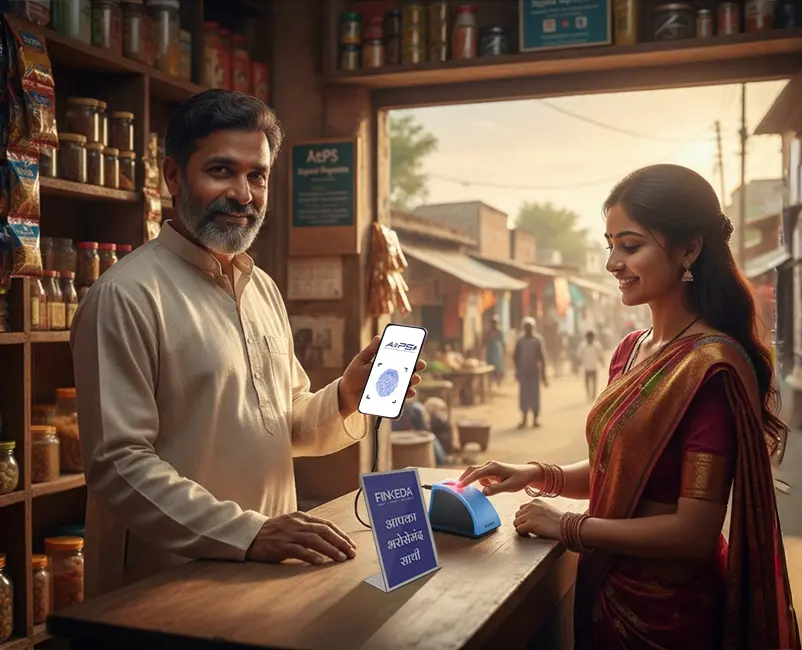
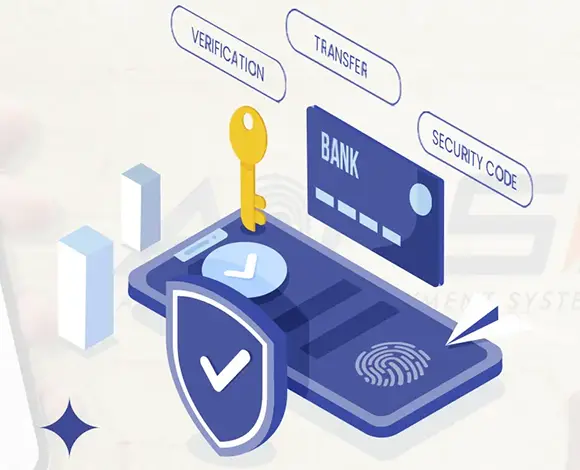
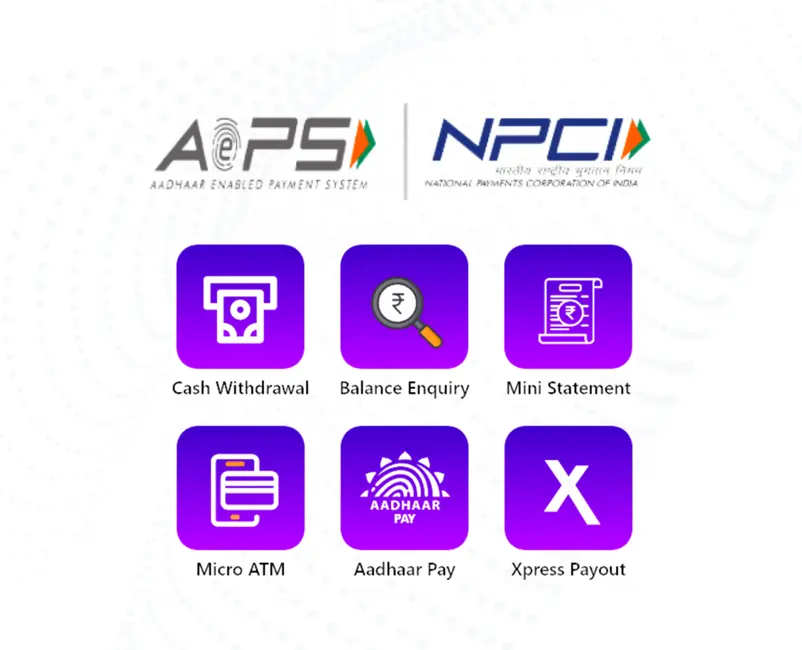
Aadhaar Enabled Payment System, or AePS, is a related but different service that allows customers to perform simple banking transactions like cash withdrawal, balance inquiry, and fund transfer using only their Aadhaar number and biometric authentication, without the need for a debit card or passbook. Another advantage of ensuring the accuracy of your Aadhaar seeding is that AePS relies on the same Aadhaar-to-bank-account association. If associations are wrong or out of date, it can cause transactions to fail or run on the wrong account.
Officially, the process of linking your Aadhaar number to a particular bank account and recording that link in the NPCI mapper is called Aadhaar seeding. This process starts when a customer walks into his bank branch and fills up a consent form that allows the bank to use his Aadhaar details for authentication and linking the Aadhaar number to his account and customer profile.
After submission of the form, bank officials verify the completeness of the form, examination of supporting documents, and verification of the signature or thumb impression of the customer with the records available with the bank. If all is well, the bank accepts the form and provides an acknowledgment to the customer. It then performs two different but related updates. First, it associates the Aadhaar number to the customer account in its core banking system. Second and separately, it makes a request through its central IT or operations team to update the NPCI mapper with the same information. It bears repeating that linking Aadhaar within the CBS does not update the mapper. The mapper update is a separate backend process run by the bank’s central team, and it takes some additional time after the branch-level linking is done.
Without a properly seeded Aadhaar number, a beneficiary can be fully eligible for a government scheme on paper, yet never actually receive the payment, simply because the system does not know which account to credit. This is one of the most common and frustrating issues faced by beneficiaries of schemes like LPG subsidy, scholarship programs, and pension schemes. Seeding closes this gap by giving the payment system a single, verified destination account tied to the beneficiary Aadhaar number.
The process of deseeding Aadhaar is the reverse of seeding. It is the process of de-linking the existing link between an Aadhaar number and a bank account from the NPCI mapper. Deseeding is almost always followed by reseeding, where the same Aadhaar number is then linked to a new bank account, but occasionally a customer may just want to opt out of receiving DBT altogether without linking to a new account.
There are several common situations where deseeding is needed. The customer may be changing its main bank account for improved service, lower fees, or convenience and wants its DBT and subsidy payments to switch to the new bank. If the Aadhaar was seeded to some old account that is now closed (either closed voluntarily or due to inactivity), the benefit sent to it will fail or get returned. In some cases, particularly in remote areas, where consent forms were sometimes filled out by banking correspondents or intermediaries, Aadhaar may have been seeded to the wrong account altogether, requiring correction. A customer may have moved and opened a new, more accessible account and just wants their benefits combined into the account they are actively using. Finally, for personal or financial planning reasons, some customers may decide to stop receiving DBT in a specific account altogether and request a deseeding without reseeding elsewhere immediately.
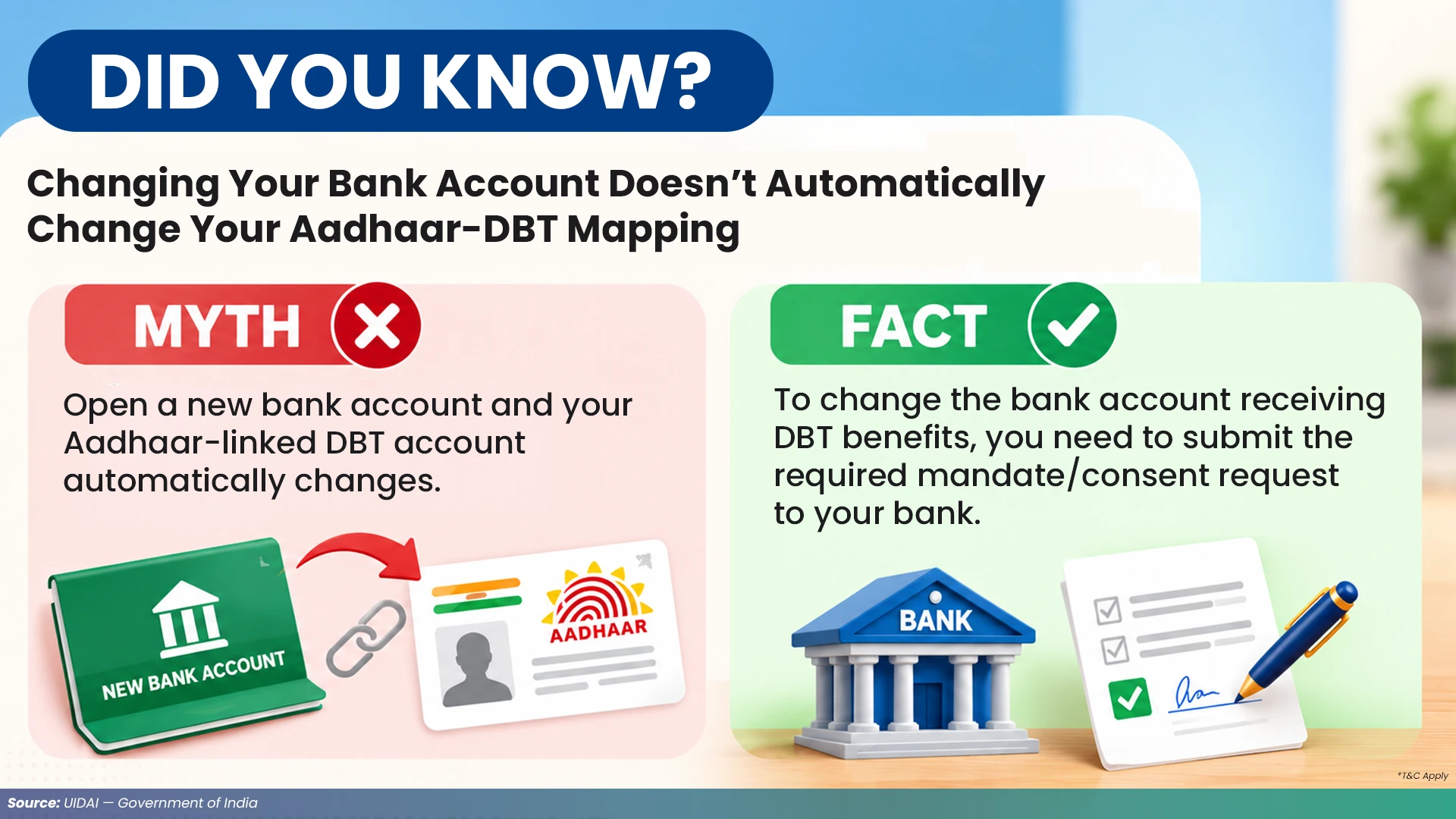
Whatever the reason, the basic principle remains the same. In the NPCI mapper, an Aadhaar number can be mapped to only one bank account at any given point. So if the mapping changes, the old entry must be deseeded before or while creating the new one.
| Seeding | Deseeding |
| Seeding provides a new active link between an Aadhaar number and a bank account in the NPCI mapper. | Removing seeds breaks an active link. |
| Reseeding, which normally happens right after deseeding, will create a new link to another account. | When a customer wants to shift their DBT benefits from one bank to another, deseeding helps remove the existing active link. |
| The new bank needs to know which old bank the Aadhaar was linked to so that it can update the mapper correctly. | The consent form often does both together, because the new bank needs to know which old bank the Aadhaar was linked to so that it can update the mapper correctly. |
Note: Documentation and requirements may vary by bank and service. Please confirm the latest requirements with your bank.
Important Note: The process described below is for general informational purposes. Exact steps, forms, authentication methods and available digital facilities may vary by bank. Please verify the current procedure with your bank before initiating a request.
The customer is not permitted to deseed Aadhaar on his own through any portal or app. You must start it at a branch of a bank since only a bank employee can check the documents and make sure the signatures are real.
Here is a detailed breakdown of what the process typically looks like from start to finish.
Important Note: The process described below is for general informational purposes. Exact steps, forms, authentication methods and available digital facilities may vary by bank. Please verify the current procedure with your bank before initiating a request.
Step 1: Visit the Bank Branch
The first step is to go to the branch of the bank where the account is maintained. If a customer wants to shift his/her Aadhaar from one bank to another bank, then he/she has to visit the branch of the new bank from where he/she wants the DBT benefits to be paid from now. You are advised to bring your Aadhaar card, account statement or passbook and a copy of any consent forms that you may have already filled and sent to another bank.
Note: Branch requirements and available digital alternatives may vary by bank.
Step 2: Download and Fill Out the Appropriate Consent Form
Most banks have a standard form that you can use to request linking, seeding, and mapping of Aadhaar. The form generally asks for basic account details, an Aadhaar number, and a box for the customer to write what they want to do. For example, you can use the form to activate dbt for the first time, change the mapping from an old bank to a new bank, or indicate that you do not want to use the service at all. Choose the right option here, because choosing the wrong one could prevent the mapper from updating as expected, or the old bank could mistakenly remain connected.
Note: Consent forms and available options may differ between banks.
Step 3: Verification by Bank Employees
The branch staff will ensure that the form is complete, compare the signature/thumbprint on the form with the bank’s records, and verify any supporting documents that are provided. This step is to prevent people from making fake changes to DBT mapping, and therefore it is usually not possible to do it remotely or without the customer being present.
Note: Verification and authentication requirements may vary depending on the bank and service.
Step 4: Acceptance and Recognition of Form
Once the bank employee is sure that everything is correct, he accepts the form and acknowledges the customer. This acknowledgment may be a paper receipt or an electronic confirmation, depending on the bank. This confirmation is important and should be kept safe, as it may be needed later if there is a dispute or if the mapper update is delayed.
Step 5: Internal Update
The internal update is the fifth step that has two levels. When a customer visits a branch, the Aadhaar number is mapped to the customer’s account in the bank’s core banking system. The branch also refers the request to its core operations or IT team. This team is responsible for creating mapper update files and sending them to NPCI. This update from the central team removes the Aadhaar from the old account and places it in the new account in the NPCI mapper.
Step 6: Look at the Response File
The mapper files are sent to NPCI, who processes them and sends back the response files, which will show the status of each update, whether it worked or not. The central team at the bank reviews these response files to make sure that the customer’s request was processed correctly. If a request failed due to some technical issue or a data mismatch, the bank should resolve the issue and try again if needed.
Step 7: Final Check
The deseeding and reseeding are done once the mapper shows the new account with updated active status. From now on, all DBT payments associated with that Aadhaar number are to be transferred to the new account rather than the old one.
Note: The form of acknowledgment may vary depending on the bank’s process.
Customer’s Contribution to the Deseeding Process
The Bank’s Contribution to the Deseeding Process
Note: Contact details and grievance procedures may change. Please verify the latest information through the official NPCI, UIDAI, bank or concerned scheme website.
Note: The availability of online status-checking facilities may vary by bank. Verify your current status through the applicable official channel.
Mismatched signatures
↓
The consent form and bank records have different signatures.
↓
The form may be rejected during verification.
Missing previous bank details or account numbers
↓
Incomplete form
↓
Processing may be delayed.
Technical issues while submitting or processing mapper files on NPCI’s side
↓
The request may fail.
↓
The bank has to resubmit it.
Data mismatches
↓
Minor mismatch between the Aadhaar details on file with the bank and those on file with UIDAI
↓
The request may fail.
Best Way to Handle the Issue
↓
Contact the bank branch.
↓
The bank can find out the exact cause and take corrective action.
Note: The reasons listed above are common examples and are not an exhaustive list. The exact reason for a failed or delayed request should be confirmed with the concerned bank.
An Aadhaar number can be deseeded from an old account.
↓
Seeded to a new account with a different bank
↓
The customer has to go to the new bank.
↓
Fill out a new consent form.
↓
Mention the name of the previous bank where the Aadhaar was linked.
↓
The operations team of the new bank identifies and updates the correct existing mapper record.
↓
New consent is processed and confirmed.
↓
DBT payments will be sent to the new account instead of the old account.
Note: The exact process for transferring Aadhaar/DBT mapping may vary by bank. Please confirm the applicable procedure with the new bank.
| Step | Process | Timeline / Action |
| 1 | The consent form is submitted to the bank branch. | The bank processes and forwards the form to its central team. |
| 2 | The mapper update file is prepared. | The bank’s central team submits the file to NPCI. |
| 3 | 3NPCI processes the mapper update file. | NPCI sends the response file. |
| 4 | The update is reflected. | Processing time may vary depending on the bank, verification requirements and processing of the request. |
| 5 | Delay or mismatch occurs. | Delays may occur depending on the bank’s processing and verification requirements. |
| 6 | No update for a long time. | Contact the bank branch to check the response file status. |
| Stage | What to Do |
| Bank Customer Service | Detail the issue and bring the original acknowledgment receipt. |
| Regional / Zonal Grievance Officer | Contact them if the branch-level team cannot resolve the issue through the bank’s internal escalation matrix. |
| NPCI | If the problem still continues, write directly to npci.dbtl@npci.org.in. |
| Documents | Attach a copy of the bank-acknowledged Aadhaar consent form. |
| Failed Transactions | Contact the relevant Oil Marketing Company at 1800 2333 555 to request that failed transactions be reinitiated once the Aadhaar mapping has been corrected Note: Contact details and grievance procedures may change. Please verify the latest information through the official NPCI, UIDAI, bank or concerned scheme website. |
Note: Customers should confirm the applicable procedure with their bank before closing an account or changing Aadhaar/DBT mapping.
Aadhaar deseeding is the process of removing your Aadhaar number from an existing bank account in the NPCI mapper so that it can either be linked to a different account or removed from DBT eligibility altogether.
You need to visit the concerned bank branch and submit the prescribed consent form. Once the bank verifies your identity and documents, it updates or removes your Aadhaar link in both the Core Banking System and the NPCI mapper.
You can check this through your bank’s net banking portal or mobile app or by visiting the branch directly. Remember that the status shown inside your bank’s own CBS system does not guarantee the NPCI mapper has been updated as well.
Yes, once your Aadhaar has been deseeded from the old account, it can be seeded to a new bank account by submitting a fresh consent form and mentioning the previous bank details.
It typically takes a few working days, though the exact timeline depends on the bank’s internal processing speed and how quickly NPCI processes the submitted mapper file.
This usually happens because opening a new bank account does not automatically deseed Aadhaar from the old one. You need to actively submit a deseeding and reseeding request at your new bank for the mapping to change.
Not necessarily, and it is safer to deseed and reseed your Aadhaar to a new account before closing the old one to avoid a gap in benefit eligibility.
The responsibility rests with the bank, since only banks can submit or correct mapper update files. NPCI only processes what the bank submits and does not make independent changes.
In most cases, no. Since the process requires signature verification and document checks, it generally needs to be completed in person at a bank branch, although some banks may offer partial electronic form submission as a facility.
You should contact your oil marketing company through their toll free number 1800 2333 555, and request that any pending or failed transactions be reinitiated to your newly seeded bank account.
Note: The answers below are for general informational purposes. Aadhaar seeding, deseeding, DBT mapping, documentation and digital facilities may vary by bank and may be updated over time. Please verify the latest process with the relevant official authority.
Disclaimer: This article is intended for general informational and educational purposes only. The information is based on publicly available information and may be subject to change. Aadhaar seeding, deseeding, DBT mapping, authentication methods, documentation, processing timelines and available digital facilities may vary by bank and may be updated from time to time. Readers are advised to verify the latest applicable information and procedure directly with their bank, UIDAI, NPCI or the relevant government authority before taking any action. This content should not be considered financial, legal, regulatory or professional advice. The publisher does not guarantee the accuracy, completeness or applicability of the information to every individual or bank.
Share :
Like:
0